How Link Previews Affect SEO in 2026
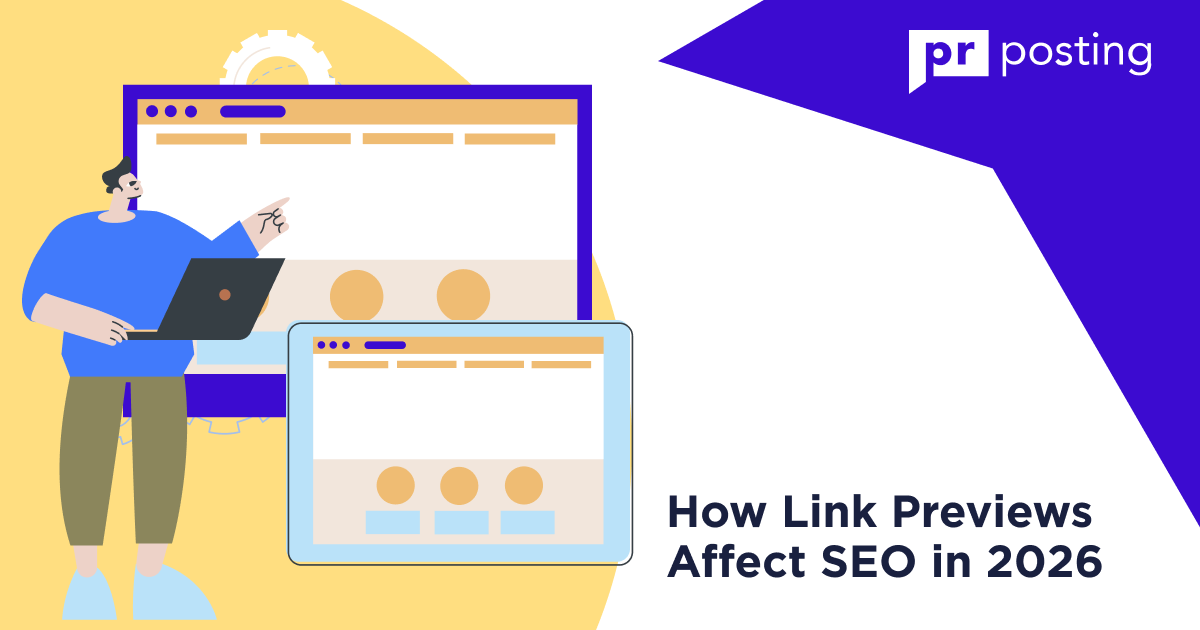
Apps like WhatsApp and Slack generate them using Open Graph metadata. They act as a showcase for your brand in the zero-click search environment.
While they aren’t a direct ranking factor, they increase click-through rates (CTR) and provide an authority signal to AI engines.
Optimized cards ensure your site will appear in reviews and citations generated by AI.
Key Takeaways
- High-quality visual previews increase your share of traffic.
- Previews signal E-E-A-T and authority to users.
- AI agents utilize these previews as visual citations.
- Blocking fetchers prevents your content from appearing shareable.
What are Link Previews and Why Do They Matter?
A link preview is a graphic block with a short description. It contains a title, a short description, and a thumbnail image.
This block appears when someone shares your link. These blocks are the primary visual interface of your brand on social media and messaging apps.
They provide context before a user even clicks your link.
Why Link Previews Influence SEO
- Zero-Click Impact. Often, the preview is all a user sees.
- Confidence Scores. Poor metadata lowers your trust score with AI models.
- Engagement. Attractive images drive higher click-through rates.
- Citation Authority. Professional previews validate your site as a credible source.
When you paste a URL into Slack or WhatsApp, the platform immediately goes looking for specific code.
This process is often called unfurling. If your website lacks the right tags, the resulting box looks empty or broken.
That is a disaster for your brand. A solid preview relies on three core elements that work together to earn a click.
- The Open Graph Image. This is the large visual that catches the eye. It needs to be high resolution and relevant to the content.
- The Meta Title. This is the headline. It should be punchy and clear.
- The Meta Description. These two lines of text explain the value of the page. They serve as your final sales pitch.
Don’t ignore the technical side. Most social platforms use the Open Graph protocol to pull this data.
Twitter uses its own specific cards. If you forget to set these up, the app might just grab a random logo or a tiny, blurry icon from your header. It looks messy and amateur.
Why Search Engines Care about Link Previews
Search engines have changed. They no longer just look at keywords on a page.
Modern algorithms look at how users interact with your content across the entire internet.
If your links look like spam when shared on Reddit or Facebook, people will skip them. This signals to Google that your content might not be high quality.
Here’s how link previews actually affect your search rankings:
- User Retention. A clear preview ensures that the people who do click actually want to be there. This reduces your bounce rate.
- Social Signals. High engagement on social platforms can correlate with better search rankings.
- AI Training Data. Large language models scan these previews to understand what your site is about. Accurate data helps them categorize you correctly.
You should consider the “Zero Click” reality. Sometimes, a user gets all the info they need from the preview alone.
While this might seem bad for traffic, it builds immense brand authority. They saw your name and your expertise. They will remember you next time.
- Use direct language.
- Keep your titles honest.
- Avoid clickbait that doesn’t deliver on its promise.
When a user pastes a link, a search engine crawler visits your page. It scans your HTML for metadata.
If your tags are missing, the system malfunctions. This looks unprofessional and signals a lack of attention to automated search engines.
Pages with optimized metadata demonstrate higher engagement on social media. That indicates that visual presentation directly impacts your SEO performance.
How Do Link Previews Work?
A fetcher acts as a miniature bot. It visits your page to pull specific code.
It looks for meta tags like og:title and og:image. If the bot finds them, it builds a card.
If the bot finds nothing, it defaults to a blank or messy state. Your goal is to provide this bot with accurate data.
What are link previews in Google Messages?
These are special cards that allow you to view a summary of a web page without opening your browser. Google downloads the content to speed up the user experience.
How do I fix broken link previews in Buffer or other schedulers?
Always check your Open Graph tags. Use a validator tool to see if your meta tags are readable. Often, clearing your cache resolves the issue.
What does showing only web link previews mean?
This setting limits the app to showing previews for standard web pages only.
It prevents the app from pulling data from sensitive internal sources or unverified sites.
Does social media use the same logic as AI?
Yes. Modern AI models look at your Open Graph data to decide which image to show in a citation. Good metadata helps the AI choose your site over others.
Comparison: Link Previews vs. Traditional SERP Snippets
Traditional snippets rely on your meta description and title tag to capture attention on a results page.
Conversely, modern link previews function through Open Graph metadata when users share URLs or when AI agents generate citations.
While snippets drive direct search traffic, link previews build essential trust and increase click rates across private messaging and chat interfaces.
Summary
- Traditional snippets focus on keyword intent for search engine results pages.
- Link previews allow you to visually represent your brand in private chats.
- Open Graph tags define how your content appears to AI fetchers.
- Broken previews signal spam to users and lower your authority.
| Feature | Traditional Snippet | 2026 Link Preview (AIO/Chat) |
| Trigger | Search Query | User Share or AI Citation |
| Data Source | Meta Description/Title Tag | Open Graph/Schema.org |
| Visuals | Mostly Text | Large Image/Video/Favicon |
| SEO Impact | Direct Ranking Factor | Indirect (CTR & Trust) |
Metadata and Open Graph
You must optimize the identity layer of your code to control your visual appearance.
The Open Graph protocol creates a bridge between your webpage and the social graph.
It tells external platforms exactly how to display your content. Without these tags, you lose control over your brand image. Machines will simply guess what to show.
Essential Open Graph Tags
- og:title. Keep this headline under 60 characters.
- og:image. Use 1200 by 630 pixels for high-resolution displays.
- og:description. Write a value proposition under 160 characters.
Google Messages and Private Discovery
Google messages link previews function by using a specific crawler. This bot scans your site to generate a summary card.
It populates this data inside your Android text threads automatically. Do not block these user-triggered fetchers in your robots.txt file.
Doing so stops your content from appearing shareable. You risk looking like a dangerous link to unsuspecting users.
Practical Example: The Trust Gap
Visual identity dictates whether a user trusts your link. An unoptimized link often displays as a raw URL, like example.com/p?123.
Many users assume this represents a virus or spam. Conversely, an optimized link displays a clear title like “10 Best SEO Tips” with a professional thumbnail. Clear, visual previews can increase click rates significantly.
What does showing only web link previews mean?
This setting restricts the app to displaying previews only for standard web pages. It prevents the system from pulling data from sensitive or private locations.
What is add link previews on iPhone?
This refers to a feature in the Mail or Messages app. It automatically generates a visual card when you paste a URL.
How Link Previews Affect SEO and AEO
In 2026, link previews serve as critical visual touchpoints within Google’s AI Overviews.
When users interact with a link, hovering over it activates pop-up cards displaying your site’s content.
These cards act as the primary interface for users deciding whether to click.
A compelling preview converts casual information seekers into active site visitors, effectively reclaiming traffic lost to zero-click summary results.
Summary
- Link previews appear as tooltips inside AI-generated links.
- They represent your best opportunity to win clicks from summary blocks.
- Broken metadata forces platforms to ignore your images and descriptions.
- Routine debugging ensures your visual identity remains consistent across search.
Link Previews in AI Overviews
What are link previews in AI Overviews? These are interactive windows with a quick overview that appear when the user hovers over an AI-generated information source.
These cards synthesize your site title, description, and thumbnail into a single visual unit. They offer a snapshot of your value proposition.
How to Fix Broken Link Previews
If your links are showing up blank, you need to find out the cause of the problem immediately.
Platforms cannot display what they cannot read. Follow this protocol to restore your visual presence.
- Identify the platform. Use the Facebook Sharing Debugger or LinkedIn Post Inspector.
- Check the Image Path. Verify your og:image URL uses HTTPS. Make sure no firewall is blocking the request.
- Validate MIME types. Use supported formats. JPG, PNG, or WebP files work best.
- Re-scrape. Use the platform’s refresh button to clear the old cache.
Why do your links look like ghosts? If a platform cannot see your metadata, it simply gives up.
This usually happens because your server is evading detection by social media crawlers.
You need to look at your source code. Is the Open Graph tag actually there? Sometimes a plugin or a theme update breaks the connection.
You must find where the communication line snapped.
Check out the following specific technical reasons that often cause display failures:
- Redirect Loops. If your URL bounces through three different addresses before landing, the crawler might time out.
- Incorrect Permissions. Your robots.txt file might be accidentally telling Facebook or LinkedIn to stay away.
- Case Sensitivity. Believe it or not, a capital letter in a file name where a lowercase one should be can break the whole image path.
Fixing Link Previews: Details
Fixing the image path is your next big move. If your site uses a security certificate, every single asset must also use that same secure protocol.
An image hosted on an old HTTP link will trigger a security warning in the crawler’s brain.
It will refuse to show the picture to protect users. It is a simple fix. Ensure the URL in your code matches the actual location of the file.
The format of that file matters more than you might think. Huge files are a burden. Use a reasonable size.
- File Weight. Keep your preview images under 5MB to ensure they load instantly.
- Dimensions. Aim for 1200 by 630 pixels to fill the entire preview box.
- Text Placement. Put your main message in the center so the edges do not get cropped on mobile screens.
Once the code is right, you have to tell the internet to look again. Platforms are lazy. They store old, broken versions of your site in their memory.
Use the re-scrape tool on the debugger pages. This forces the platform to dump its old data and grab your fresh, corrected tags.
It happened fast. One click can turn a blank box into a professional brand asset.
Diagnostic Tools for Social Sharing Previews
| Platform | Debugging Tool | Purpose |
| Facebook/Meta | Sharing Debugger | Scrapes the site for Open Graph tags and clears the cache. |
| Post Inspector | Identifies missing metadata and refreshes the preview. | |
| X (Twitter) | Card Validator | Previews “Twitter Cards” and verifies meta tags. |
| Rich Pins Validator | Validates schema.org or Open Graph data. |
Missing images look like broken code to users. Always prioritize these visual assets.
What are link previews in text messages?
These are automatic summaries created by messaging apps. They pull meta tags from your URL to show a quick card.
How to turn off link previews on Android?
Go to your messaging app settings. Disable it there.
How does Telegram generate link previews?
Telegram indexes the URL upon insertion. It scans the header section for metadata and then displays the card within it.
What does add link previews mean on iPhone?
This feature is a privacy setting. It allows Mail and Messages to fetch website metadata. It only activates for your trusted contacts.
This protects your IP address from unknown trackers.
By limiting the fetch, the OS improves your device security. Still, you should optimize your site for these requests.
- Link previews on iPhone protect user privacy by restricting automated fetches.
- Users disable previews to save data or hide their browsing activity.
- SEOs must use descriptive URL slugs to convey meaning without images.
- A complete preview audit ensures your site remains visually consistent.
Turning Off Link Previews
How to turn off link previews?
Privacy remains the primary driver. Some users prefer to avoid sharing their activity with site servers. Others wish to save mobile data.
When a user disables this feature, your site fails to render a card. Your URL appears as plain text.
This is a challenge to your engagement. How do you adapt? You focus on the link structure.
A URL slug like /seo-link-previews explains the topic clearly. A slug like /p?123 provides zero context.
Even without a visual card, a descriptive slug captures interest. It tells the reader exactly what to expect.
Checklist: The 2026 Link Preview Audit
Optimization requires attention to detail. Every tag matters. Use this checklist to maintain your brand image.
- og:image. Provide a branded, unique graphic.
- og:title. Match this to your H1 for semantic consistency.
- Twitter Card. Use this tag as a mandatory fallback.
- Favicon. Upload a high-resolution file at 32×32 or 48×48.
- Canonical Tag. Match this to your og:url to prevent duplication.
Metadata Priorities for Previews
| Tag | Purpose | Importance |
| og:title | Headline display in link previews | High |
| og:image | Visual attraction and click-through rate | Critical |
| og:description | Contextual summary under the title | Medium |
| og:url | Ensures engagement counts to the correct URL | High |
| og:type | Defines content format (e.g., website, article) | Low |
Links with optimised Open Graph tags earn more clicks. This simple change yields massive results.
How do I remove link previews in Slack?
Go to your preferences. Select “Messages and Media.” Uncheck the box that says “Show text previews for links.”
What is add link previews on iPhone Mail?
It is a setting that displays a summary card inside your emails. It replaces a long URL with a clean visual box.
Conclusions
Modern SEO and GEO demands visibility beyond the results page. You must dominate the visual space in every app.
Link previews are your brand’s digital storefront. They build trust even before the user clicks the link. If you ignore them, you’ll lose credibility.
Start with the metadata audit. Then, adjust your internal linking strategies.
Treat your website as an entity that should be clearly visible everywhere. In this environment, consistency is the key to success.
Whether a user sees your site in a search engine or a private chat, the message must remain identical.
You gain control by defining your own metadata. Don’t leave your presentation to chance.
Optimize your identity layer today. Start by verifying your H1 and og: title tags match. This small action signals consistency to each crawler.



More Like This
AI SEO Automation: Scaling Strategy for 2026 Search
How to Create SEO Friendly URL Structures for 2026